File and data handling as you know it currently in Langflow is changing. Here’s what we’re replacing… 📂
Introduction
The File Component has been a core component of Langflow since the beginning. This component currently supports uploading and parsing various file formats and converting the content into a Data object. These objects can then be passed to other components such as Models, Vector Stores, Helpers, and more.
While the File component has been great for handling basic document processing needs, we saw devs keep hitting limits. Today, we are introducing some big changes: supporting multi-file uploads, global file access across multiple workflows, and our newly added file management system. Let’s jump in!
Before & After: User Experience
Multi-file Uploads
We have reimagined the user experience and capabilities of the File component. Previously limited to a single file upload, we have implemented a multi-file selection interface. No longer restricted to processing files one at a time, you can now select multiple documents from your local file directory.
New File Management System
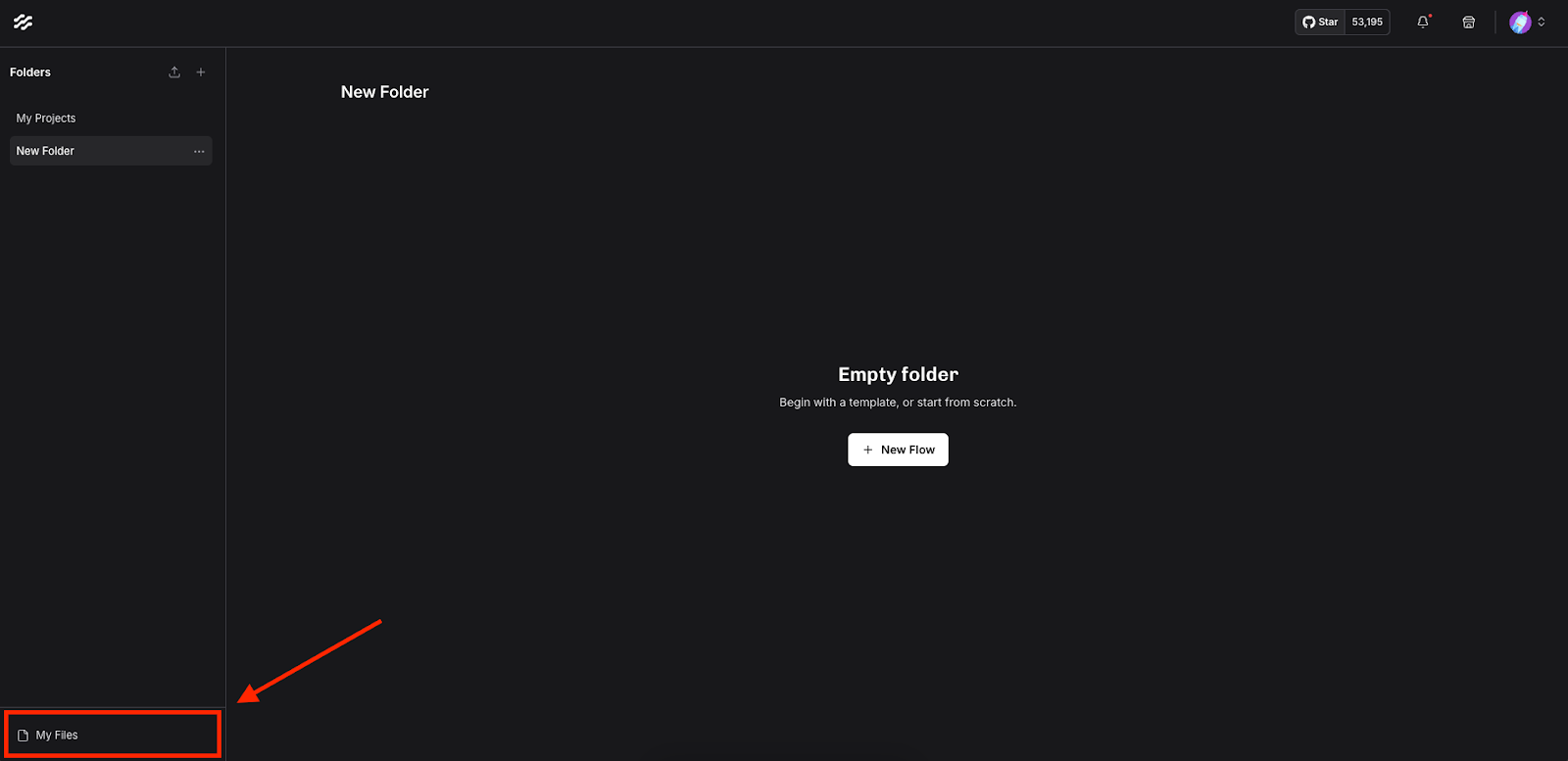
Once your files are uploaded via the File component, you can then access these in our newly added file management system. Before, file uploads were limited to only the flows you were working directly in (ie. specific to a given session), and you had to repeatedly upload files from your local directory. This was especially painful for folks who wanted to test results across different files. Now, with the file management system, files are persisted into Langflow to be accessed at any time. View the file management directory via two different ways:
Through the home screen under “My Files”
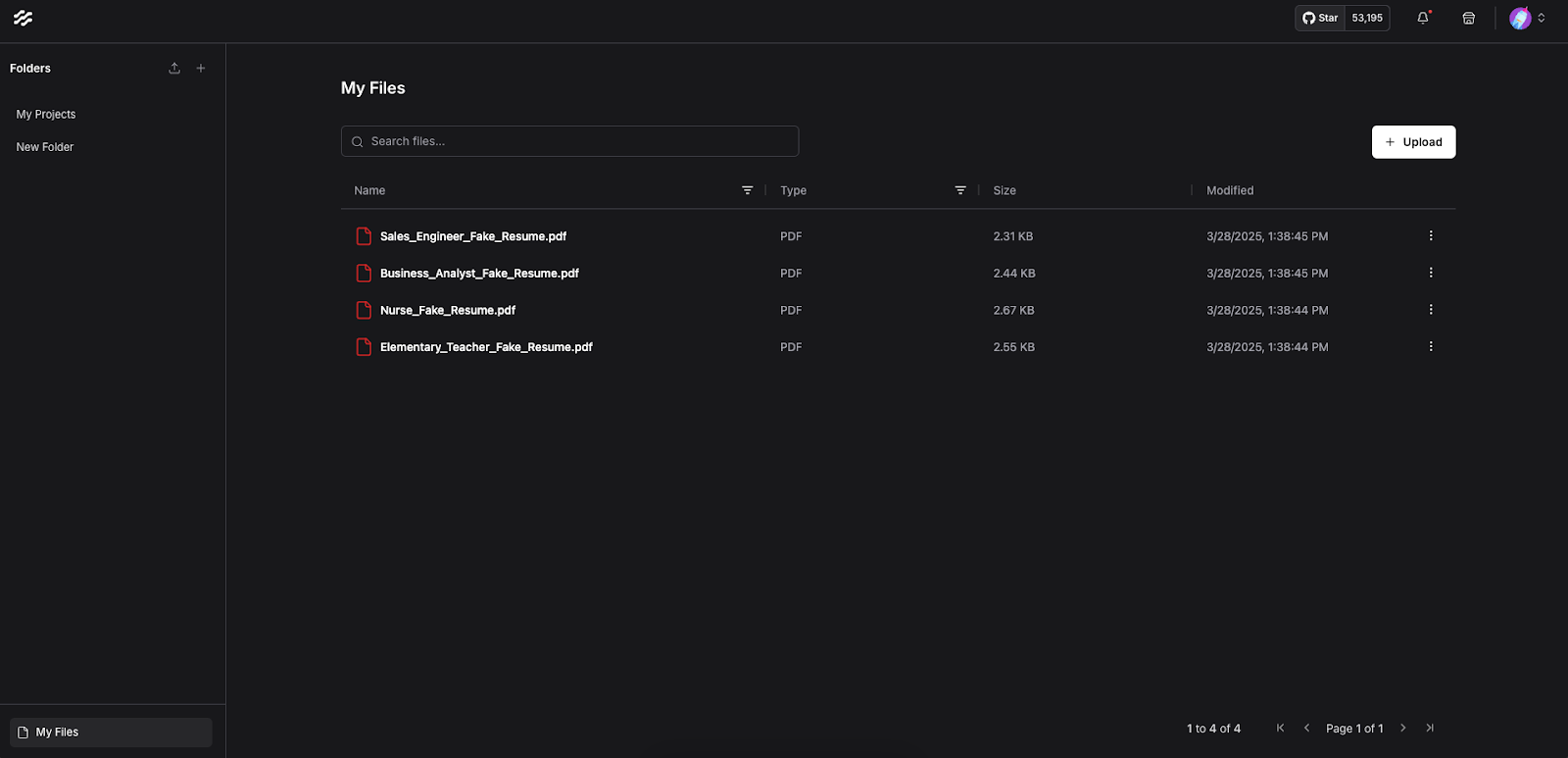
Or at the /files URL. For example, if you’re running Langflow at the default http://127.0.0.1:7860 address, the file management system is located at http://127.0.0.1:7860/files .
Files that are stored in “My Files” can be renamed, downloaded, duplicated, or deleted.
Files Access Across Flows
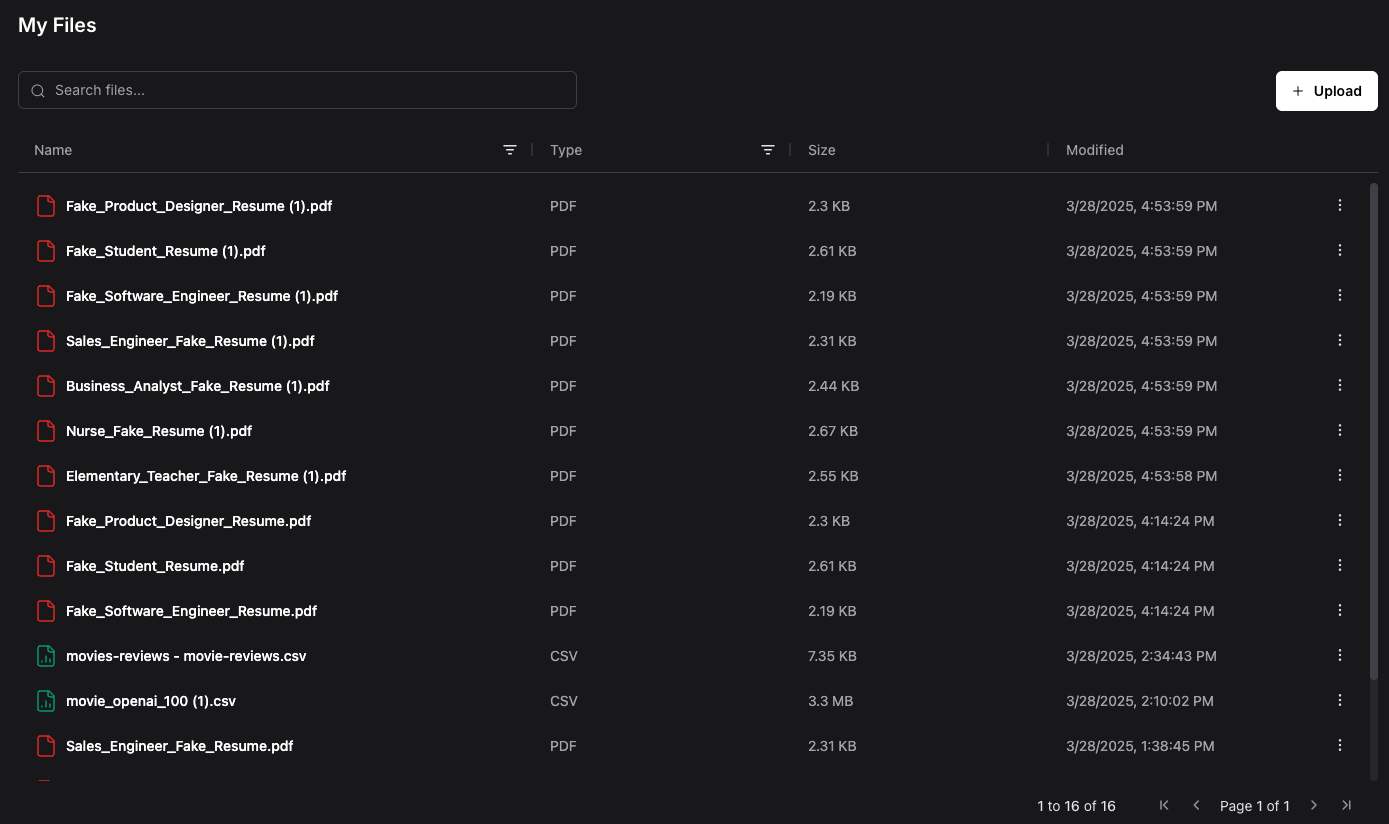
With the new file management system, you can now access uploaded files across multiple flows. This eliminates the frustration of repeatedly uploading the same files for different workflows or testing scenarios. Your documents remain accessible across sessions, creating a more cohesive and efficient development environment.
To access your previously uploaded files in a different flow, simply include the File component in your new flow and click the “Select Files” button. You should now be able to see a directory of all the files you have uploaded within the File component itself.
Improvements to CSV File Handling
Uploading CSV Files as Dataframes
Developers love to use CSV files when prototyping and building AI apps, so we have vastly improved how Langflow handles CSV. A great way to demonstrate this update is to take a look at the “Vector Store RAG” template in Langflow. Here, you can ingest a file, chunk the content, and store them into Astra DB (DataStax’s vector database). Users originally had to take an additional step to process the CSV data by incorporating different helper components. Today, the File component can now handle your CSV data and convert it directly into a “Dataframe” or tabular format.
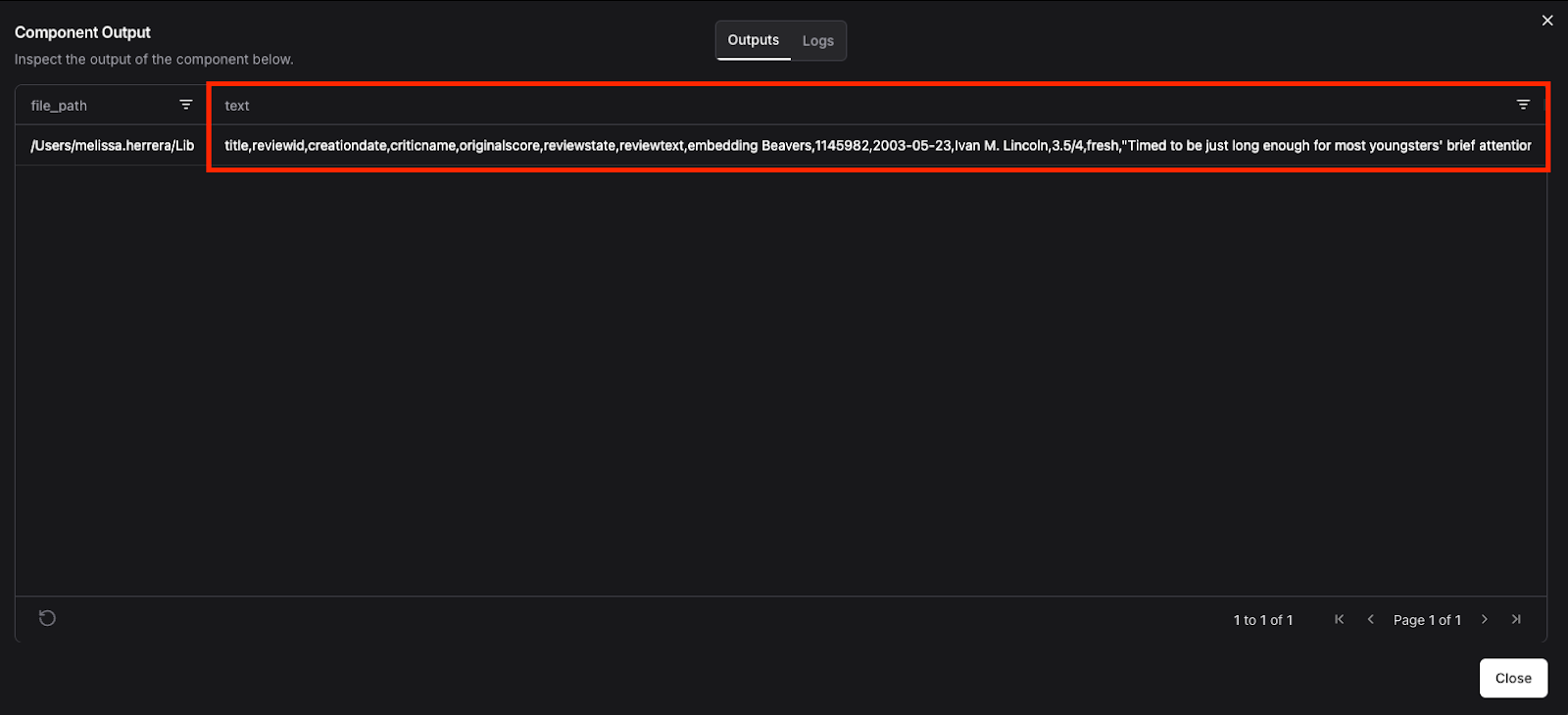
Here’s an example where we are ingesting a sample set of movie reviews. In the original experience, when a user uploads a file, the “Data” output looks like this. You had to then parse the “text” column to retrieve the correct format.
Now, when uploading CSV files, you can immediately view it as a “Dataframe” or tabular data.
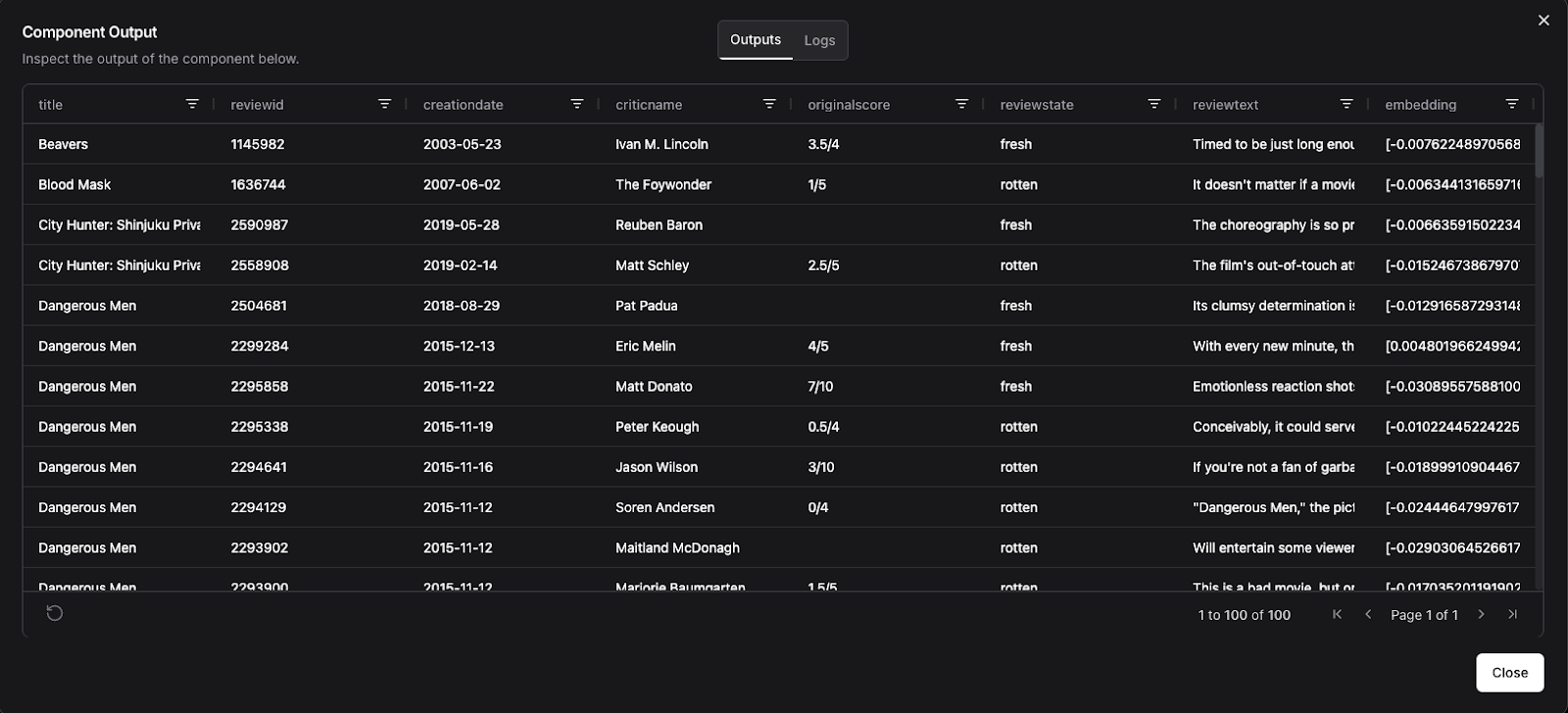
You can then easily parse the data by specific columns, or store the data into Astra DB without additional processing steps aside from “Split Text”.
Interacting with Tabular Data
With this new tabular view, you can now easily interact with the data within each row of the Dataframe by using components such as “Batch Run” for example. The “Batch Run” component is a “Helper” tool that can run a language model over each row of a Dataframe and return a new Dataframe with the original text and the model’s response. Consider the flow below.
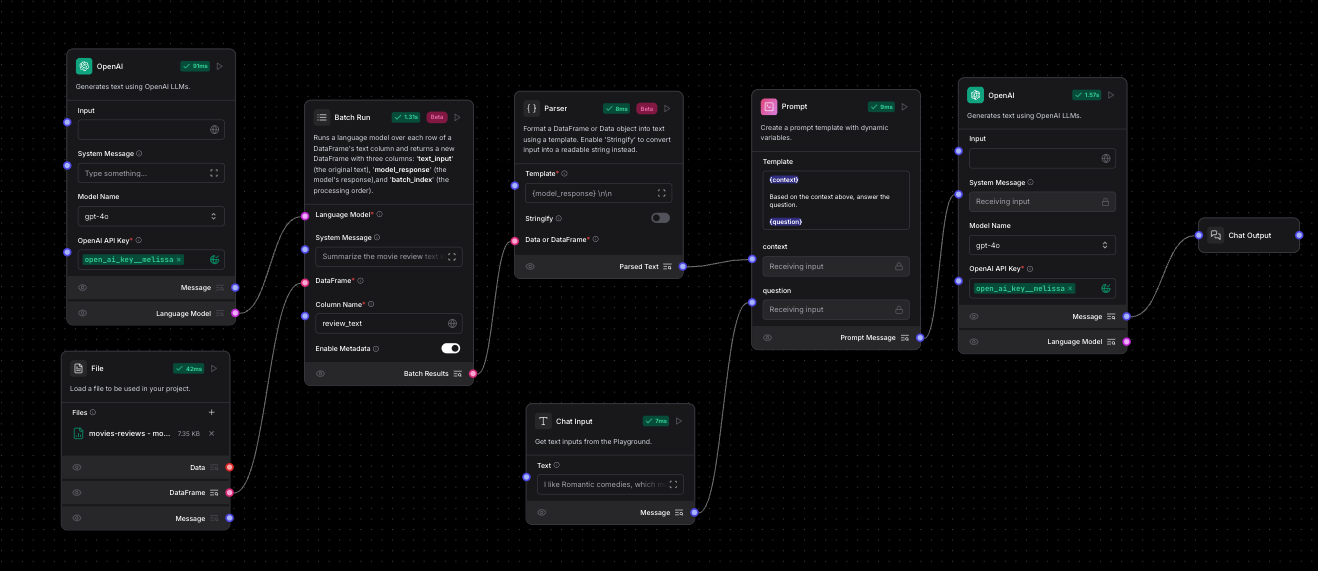
Here, we are uploading the sample set of movie reviews. For each row, we are running a language model with the prompt “Summarize the movie review in one line”.
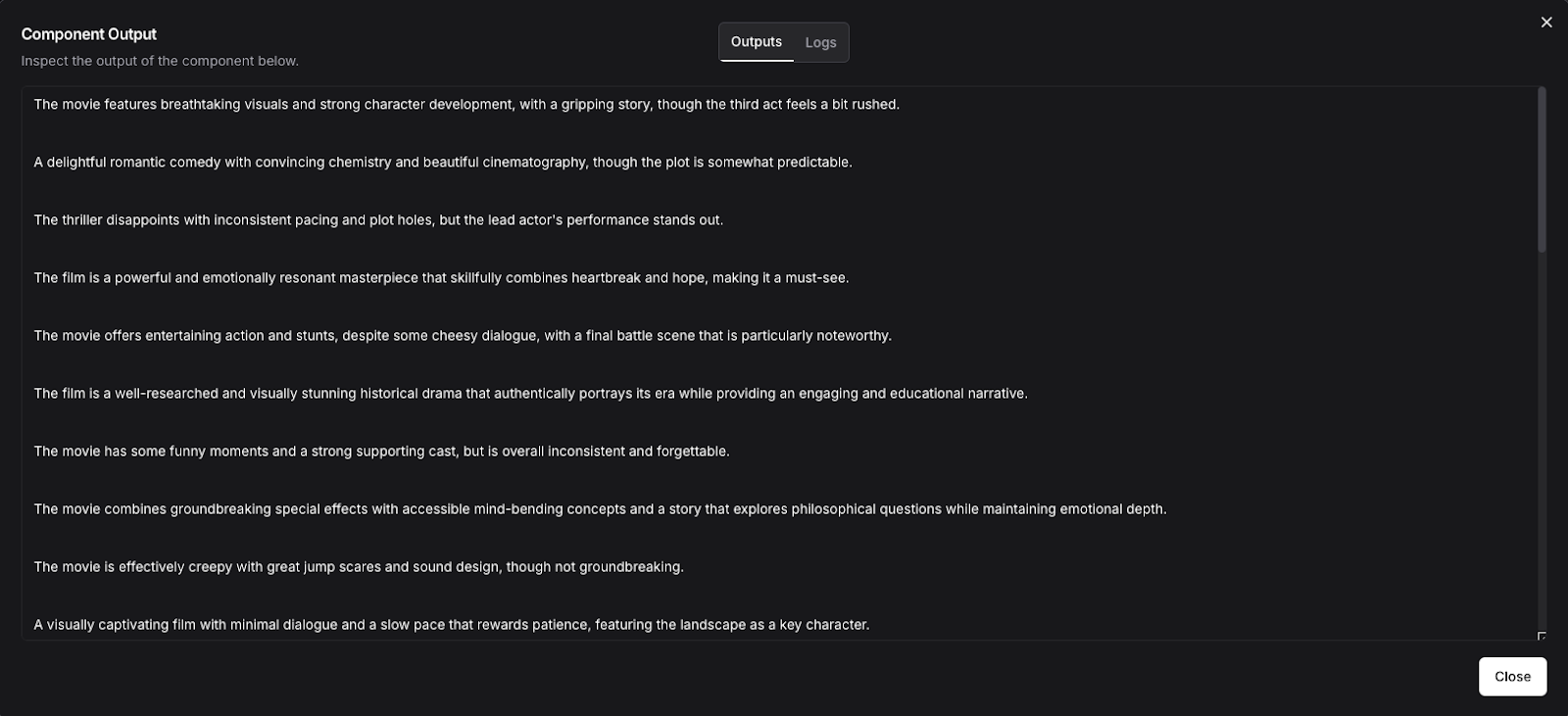
Instead of retrieving the entire movie review, I can now talk to the model directly with the “Chat Input” component, and the model can answer questions based on just the one-liner summaries. It is much easier now to manipulate the different rows and columns in a Dataframe with these updated capabilities and support for CSV in the File component.
Final Thoughts
We’ve completely revamped file handling in Langflow with multi-file uploads, global file access, seamless CSV-to-Dataframe conversion and more to eliminate friction points and unlock new possibilities for building your AI agents and applications.
Now that you know how these new features work, here are some next steps:
- Join the Langflow Discord and let us know what you're building!
- Register for our Launch Week Livestream to hear more about the
1.3release and a HUGE surprise we're announcing on Thursday. - Check out our project on Github and give us a star if you like what you see!