Langflow 1.7 is released! This version includes a whole lot of good stuff for your AI agents, like:
- Streamable HTTP support for the MCP client components and projects that are exposed as MCP servers
- New agent components: CUGA and ALTK
- Webhook authentication
- AWS S3 storage for uploaded files
- New components for flow control, CometAPI, AWS Bedrock Conversations and mock data
- ..and much more
Let's dig into some of these features to see how they are going to help you build great AI agents and MCP servers.
💡 For a video rundown of the new features, check out the Langflow 1.7.0 launch video.
Streamable HTTP support for Langflow MCP clients and servers
Since deprecating server-sent events (SSE) as a transport option, many remote MCP servers have moved to support the Streamable HTTP transport. Langflow 1.7 brings support for Streamable HTTP to the MCP Client component.
Now, no matter what transport, you can connect to any MCP server and use their tools in your flows.
On the other side of the MCP coin, any of your Langflow projects that you expose as an MCP server can now be accessed over Streamable HTTP too.

New agent components
The Langflow Agent component is a powerful way to combine prompts and tools to create decision making agents. But research in the field of LLMs and agents is always pushing on. We're pleased to include two new agent components within Langflow 1.7 that aim to to take advances in research and make your agents more robust and reliable.
ALTK
The Agent Lifecycle Toolkit (ALTK) is a library of modules that you can use to improve the performance of agents at various stages of their operation. The ALTK Agent component is an extension of the regular Langflow Agent that includes two of ALTK's modules to help improve tool calling. It enables the agent to perform tool validation using SPARC and intelligent post-processing of JSON responses.
The tool validation uses the conversation, the available tools and the tool call that a model has requested to ensure that the tool call is correct, appropriate and properly formatted, preventing agents from executing invalid tool calls.
The JSON post-processing generates python on the fly to extract relevant data from large JSON responses. This stops filling the agent's context with unnecessary information from API responses allowing for more accurate responses.
Use the ALTK Agent when you want to ensure you're calling the correct tools in the right way and when those tools may return large JSON responses from which you want to extract the important data rather than fill up your agent's context.
CUGA
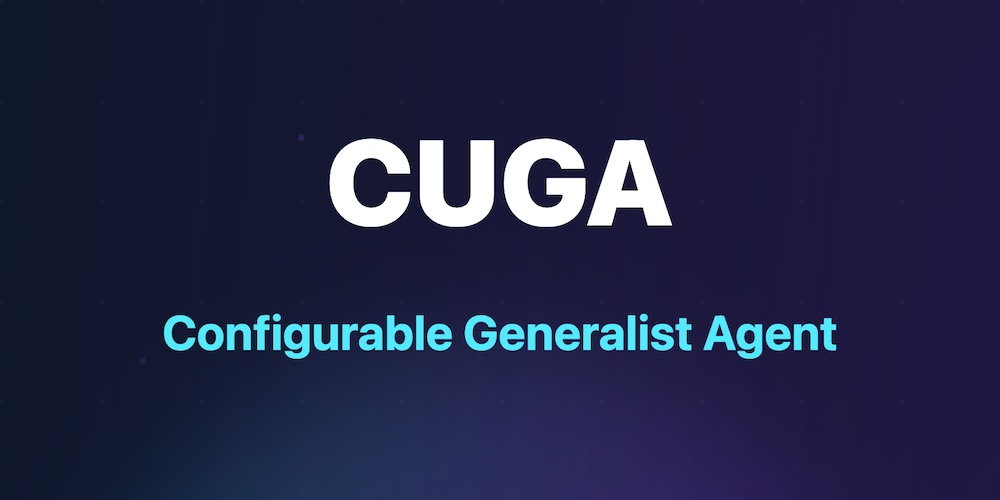
The Configurable Generalist Agent (CUGA) is an open-source generalist agent framework built by IBM research for complex enterprise automation. The new CUGA Agent component takes advantage of CUGA's specialized agents to break down tasks, make plans, drive a web browser, and write custom code to use APIs, as well as act with the tools that you make available to it within your flow.
If you want your agents to reliably complete complex tasks with many potential steps, take advantage of the CUGA Agent component. Check out this post for more details on how CUGA works and how to build with CUGA and Langflow.
Webhook authentication
The Wehook component lets you set up flows that can be triggered by an HTTP request. Until Langflow 1.7 the webhook endpoints were unauthenticated, now you can require API key authentication.
To require authentication set the environment key LANGFLOW_WEBHOOK_AUTH_ENABLE=True. Then create an API key in the settings and ensure it is sent as part of the webhook request, either as the x-api-key header or in the URL as the x-api-key parameter. For example:
http://localhost:7860/api/v1/webhook/FLOW_ID?x-api-key=sk-xxx
S3 File storage backend
When uploading files to Langflow, you can now configure where they are stored. Before Langflow 1.7 the only option was on the local disk. Now, with just an update to environment variables, you can store files in AWS S3.
To use S3 as your file store, set the following environment variables:
# S3 Storage Configuration
LANGFLOW_STORAGE_TYPE=s3
LANGFLOW_OBJECT_STORAGE_BUCKET_NAME=S3_BUCKET_NAME
LANGFLOW_OBJECT_STORAGE_PREFIX=S3_BUCKET_DIRECTORY

# AWS Credentials (required for S3)
AWS_ACCESS_KEY_ID=S3_ACCESS_KEY
AWS_SECRET_ACCESS_KEY=S3_ACCESS_SECRET_KEY
AWS_DEFAULT_REGION=S3_REGION
There are more details on this S3 config and the necessary permissions in the Langflow documentation.
New components
LLM Selector
The LLM Selector component lets you have one model judge the input and choose the most appropriate LLM to take on the task. The judge LLM will make the decision based on model specifications from OpenRouter and will optimize for your choice of quality, speed, cost, or a balance of all three.
Smart Router
The Smart Router component uses an LLM to categorize the input based on your descriptions and route the message on to distinct paths in the flow.
CometAPI
There's a new model component in town. CometAPI has access to more than 500 AI models that you can use to power your agents. The CometAPI component unlocks this for you in Langflow 1.7.
Bedrock Converse
The Amazon Bedrock component has been replaced with the Amazon Bedrock Converse component that uses the Amazon Converse API under the hood.
There's more to come
For more on all the changes that have been released in Langflow 1.7 you can check out the release notes or the full release on GitHub.
We're committed to continuously improving Langflow, and your input is crucial to this process. If you want to get more involved you can:
- Join our Discord community to network with other developers
- Explore our GitHub repository to contribute to the project or 🌟 the project
- Subscribe to our YouTube channel for step-by-step guides on using Langflow
- Stay updated on the latest AI trends and insights by subscribing to the AI++ newsletter
We're excited to see the projects you'll create with Langflow 1.7, so download it now and get building!